prettypop
Pop goes around the world.
Let's play pop music!
YouTube/@prettypopmusicPretty Pop is the label and collective for female fronted synth pop unit based in Japan.
- Pretty Pop (Early Pretty Pop)
- Marine Expo
- Frau
- Pretty Pop featuring Eva
- Betwixt
- mews
- Duel
- Pretty Pop featuring Sara
- Pretty Pop X Noemi
- Pretty Pop Toronto Mix Project
- plus World Famous Cut Flowers Project, and some solo projects


CD & Download & Streaming


Order CD : Please contact us via any SNS. US$10 / 1,000JPY each CD including shipping. Discount for multi orders.
Streaming all songs at Bandcamp.com
Pretty Pop Photography

Photographer

Ken Kinoshita
Camera: Leica Q3 43, Fujifilm X-T5 & X-E5 & X100VI, RICOH GR IV
Lenses: Fujifilm, Sigma, Voigtländer
Pretty Pop Software
TimerRun
TimerRun is a macOS application that allows you to execute music, applications, AppleScripts*1, Shell Scripts*1, and more at specified dates, times, days of the week, or upon the application’s launch, lock/unlock screen, suspend/resume system.


*1: Support simple script. If AppleScript and Shell scripts do not function as expected, it is recommended to create an application using Automator and run it via the Applications menu.
Conditions & Requirements
- Only tested on latest macOS.
- SwitchAudioSource must be installed for selecting output.
Download
Download Installer *.dmg file - 1.13.1
Please support me by purchasing my pop music on online stores or by streaming it on platforms like Apple Music, Spotify, and YouTube!
If possible, I’d really appreciate it if you could buy it rather than just stream it 😆
Thank you!
History
-
1.13.1 (2025.05.21)
- Minor fixes
-
1.13.0 (2025.05.05)
- Signed and notarized version.
- The "Start at Logon" setting has been enabled.
-
1.12.0 (2025.04.13)
- Changed the behavior to display the Main Tab when opening the window from the Tray Menu.
- Modified to retain up to 100 log entries.
-
1.11.0 (2025.04.01)
- Available as a desktop application or a menu bar application.
-
1.10.0 (2025.02.09)
- Added On AC, On Battery, Display Added, and Display Removed options to Interval/Trigger (Unified the name to “Trigger”)
- Added a 5-second sleep at startup to display externally mounted storage and additional volumes, waiting for the OS mounting process
- Fixed issues with processing during Lock Screen
- Added “Start at Logon” feature
-
1.9.0 (2024.Jan.12)
- Adjust the initialization sequence and show status with a spinner.
- Change the setting to not use the Music app the first time when launched after installation.
- Added minor functions
- Other minor fixes
-
1.8.0 (2024.Dec.22)
- Sort Entries
- Enable/Disable Music apps (disable when not using Music app)
- Added minor functions
- Other minor fixes
-
1.7.0 (2024.Dec.16)
- New intervals - Suspend、Resume、Lock Screen、Unlock Screen
- New function - Start Minimized
- New function - Copy log data to clipbpard
- Other minor fixes
-
1.6.0 (2024.Dec.11)
- Colourised Log display for better visibility
- Other minor fixes
-
1.5.0 (2024.Dec.07)
- Add "Play" button on "Timer Run List" page.
- It is possible to execute processes other than Application/Multi Applications at startup.
- Other minor fixes
-
1.4.0 (2024.Nov.27)
- Public release
RecordTime
RecordTime is a macOS application that tracks mouse movements and records the time spent using a Mac.


Conditions & Requirements
- Only tested on latest macOS.
Download
Download Installer *.dmg file - 2.4.1
Please support me by purchasing my pop music on online stores or by streaming it on platforms like Apple Music, Spotify, and YouTube!
If possible, I’d really appreciate it if you could buy it rather than just stream it 😆
Thank you!
When the application does not open and displays the message, “*****.app was blocked to protect your Mac.”
-
Open Settings : [System Setting] [Privacy and Security] [Security]

- Message : *****.app was blocked to protect your Mac.
- Action: Click "Open Anyway" button
- Reference: macOS Sequoia removes the Control-click method to bypass Gatekeeper; don’t worry, you can still install unsigned Mac apps
History
-
2.4.1 (2025.04.16)
- Minor Bug Fix
-
2.4.0 (2025.04.09)
- Unified the timing of Idle/Online/Offline state transitions to occur at 00 seconds
- Added reason code in log data
- Minor Bug Fix
-
2.3.1 (2025.03.31)
- The resolution of the Tray menu icon has been increased.
-
2.3.0 (2025.03.26)
- Available as a desktop application or a menu bar application.
-
2.2.1 (2025.03.19)
- Minor Bug Fix
-
2.2.0 (2025.02.23)
- Added the ability to configure Snooze from the tray icon dropdown menu
- Minor Bug Fix
-
2.1.0 (2025.02.15)
- Changed Tray Icon to use Template Image
-
2.0.2 (2025.02.13)
- Minor Bug Fix
-
2.0.1 (2025.02.10)
- Minor Bug Fix
-
2.0.0 (2025.02.09)
- Changed the specification to determine the system's usage status based on "mouse position" to "idle state judgment"
- Added the option to record "Offline" during Lock Screen and Suspend events (configurable)
- Minor Bug Fix
-
1.2.0 (2025.01.19)
- Add "Snooze" function
- Minor bug fix
-
1.1.1 (2024.12.04)
- Minor bug fix
-
1.1.0 (2024.12.02)
- Public release
SwitchBoard
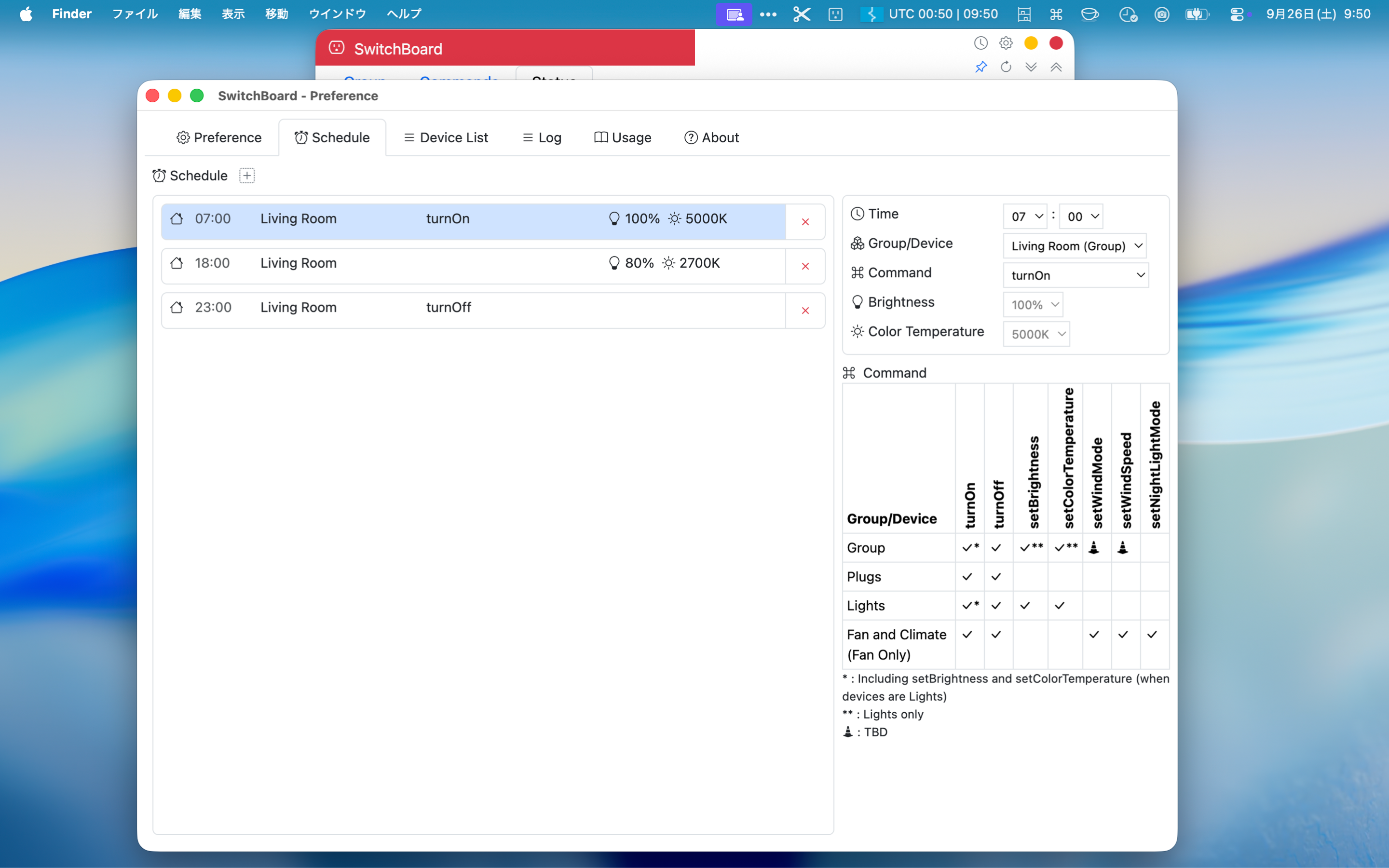
SwitchBoard is a macOS application that allows you to control SwitchBot devices and collect device data.


Conditions & Requirements
- Only tested on latest macOS.
- Only support SwitchBot devices that I own (and related devices) 🤭
Download

History
-
3.1.1 (2025.10.29)
- Minor bug fixes and performance improvements
-
3.1.0 (2025.10.15)
- Various improvements, bug fixes, and performance enhancements.
-
3.0.0 (2025.09.28)
- Added tab switching for Group, Command, and Status views
- Added a setting to select the default tab at startup and when opening from the Tray
- Improved support for unsupported devices (limited)
- Added a setting to reload data when opening from the Tray
-
2.1.0 (2025.08.10)
- Minor bug fixes and performance improvements
-
2.1.0 (2025.08.08)
- Fixed potential causes of app failing to launch on first run in certain environments.
- Added the ability to keep the SwitchBoard window always on top.
- Minor bug fixes and performance improvements
-
2.0.0 (2025.08.03)
- Various updates to prepare for the initial App Store release.
- Minor bug fixes and performance improvements
-
1.4.0 (2025.04.13)
- Changed the specification to clear logs daily (default time is 03:00:00, configurable via config.json)
- Automatically adjust window height on startup and when toggling accordions
- Minor bug fix
-
1.3.0 (2025.04.09)
- Clicking the "Device Type" or "Device ID" badge now copies the value to the clipboard.
- Adjusted the screen layout.
-
1.2.0 (2025.04.03)
- Sort Device List
- Fix the unexpected behavior when clicking the Group Button.
-
1.1.1 (2025.03.31)
- The resolution of the Tray menu icon has been increased.
-
1.1.0 (2025.03.26)
- Changed to a menu bar application.
- Added window to select color name.
- Added a feature to collapse the Device List using an accordion.
- Minor bug fix
-
1.0.1 (2025.03.17)
- Minor bug fix
-
1.0.0 (2025.03.16)
- Initial release
WorldClock
WorldClock is a macOS application that displays world clocks in the menu bar and helps you calculate time across different time zones.


Conditions & Requirements
- Only tested on latest macOS.
Download
History
-
2.0.0 (2026.11.01)
- Added "Show Time Zone on Timeline" function
- Support daylight saving time in the Southern Hemisphere
- Minor bug fixes and performance improvements
-
1.7.1 (2026.09.29)
- Minor bug fixes and performance improvements
-
1.7.0 (2026.09.03)
- Added nested row styling with alternating backgrounds and bottom borders
- Fixed an issue that caused country names to be retrieved incorrectly
- Minor bug fixes and performance improvements
-
1.6.1 (2026.09.02)
- Fixed an issue preventing countries from being added
-
1.6.0 (2026.08.24)
- Updated Timezone Code display (re-registration may be required)
-
1.5.0 (2026.08.20)
- Added support for additional time zones and time zone abbreviations
- Minor bug fixes and performance improvements
-
1.4.1 (2026.08.04)
- Minor bug fixes and performance improvements
-
1.4.0 (2026.07.29)
- Fixed an issue causing a white screen to appear when launching the app.
- Changed the default window frame from Frameless to Standard. Frameless mode is still available as an option.
- Added the ability to keep the WorldClock window always on top.
- Minor bug fixes and performance improvements
-
1.3.0 (2026.07.25)
- Changed to a frameless window
- Add a Quit button to bottom-right corner
- Minor bug fixes and performance improvements
-
1.2.2 (2026.07.02)
- Minor bug fixes and improvements
-
1.2.0 (2025.05.16)
- Add "Start at Logon"
- In the Time Bar's "Copy to Text" feature, remove the date and add AM/PM when using the 12-hour format
- Mac App Store Version
-
1.1.0 (2025.04.10)
- Add time interval setting for switching the clock display in the menu bar
- Minor bug fix
-
1.0.0 (2025.04.04)
- Initial release
PopShelf
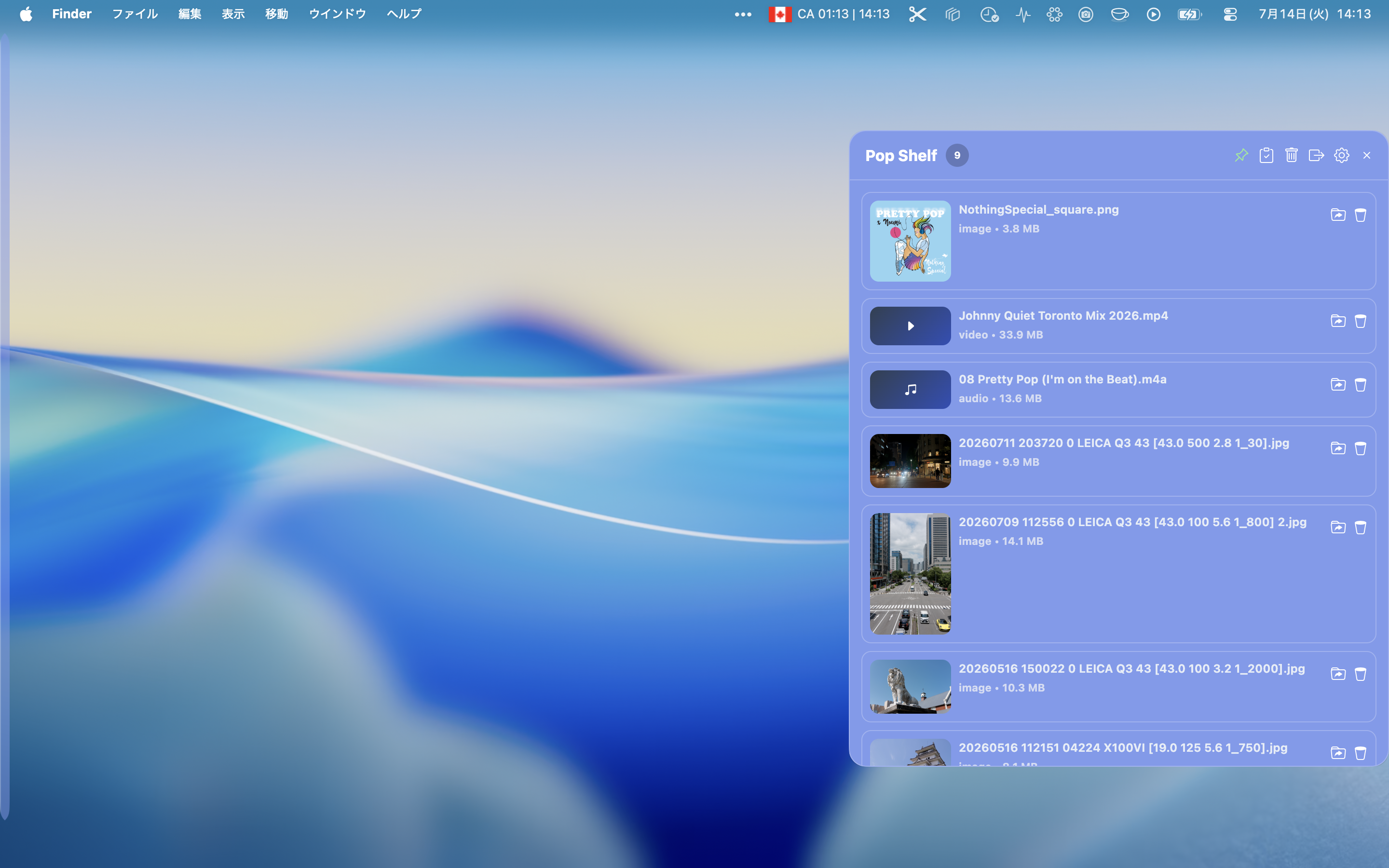
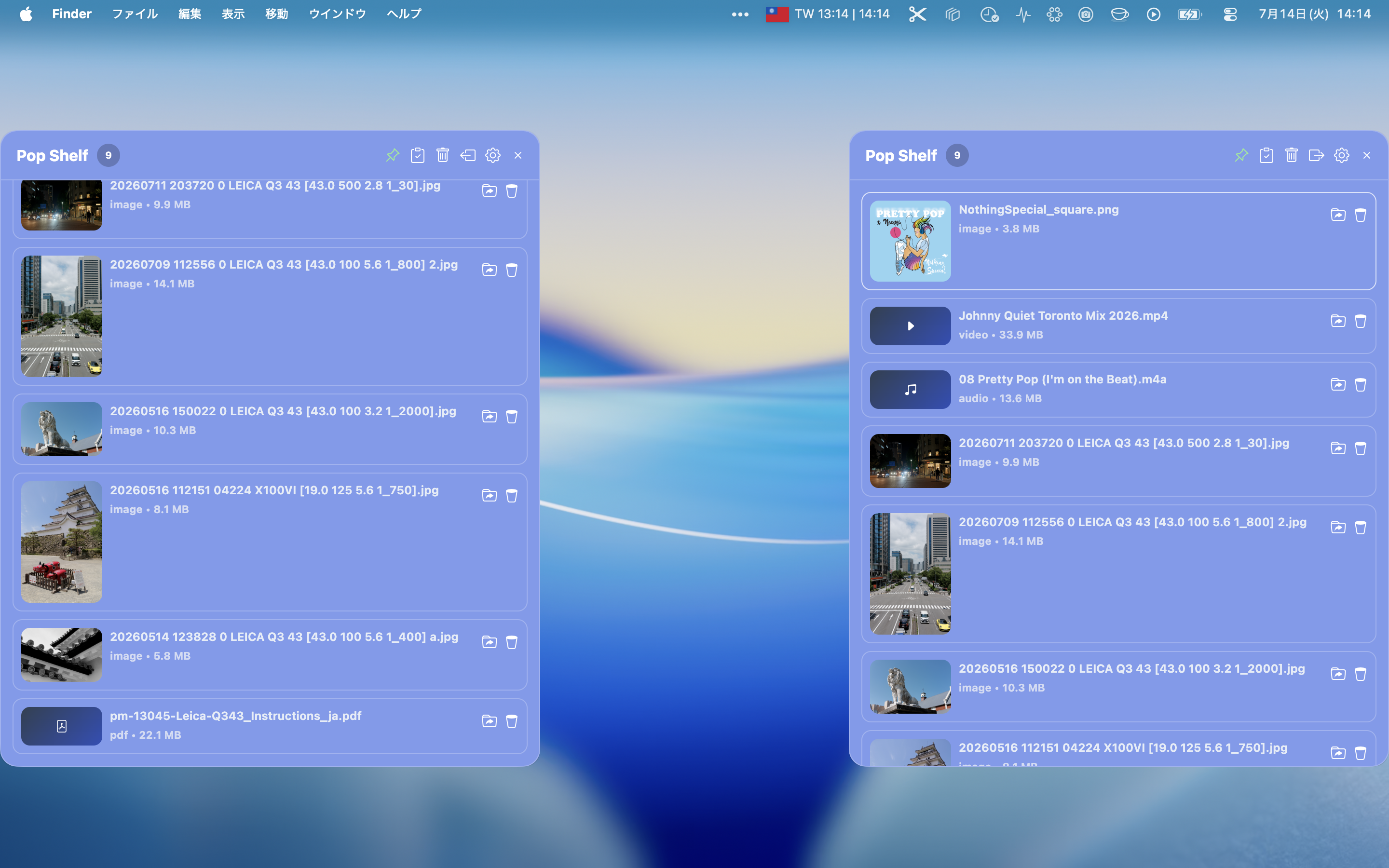
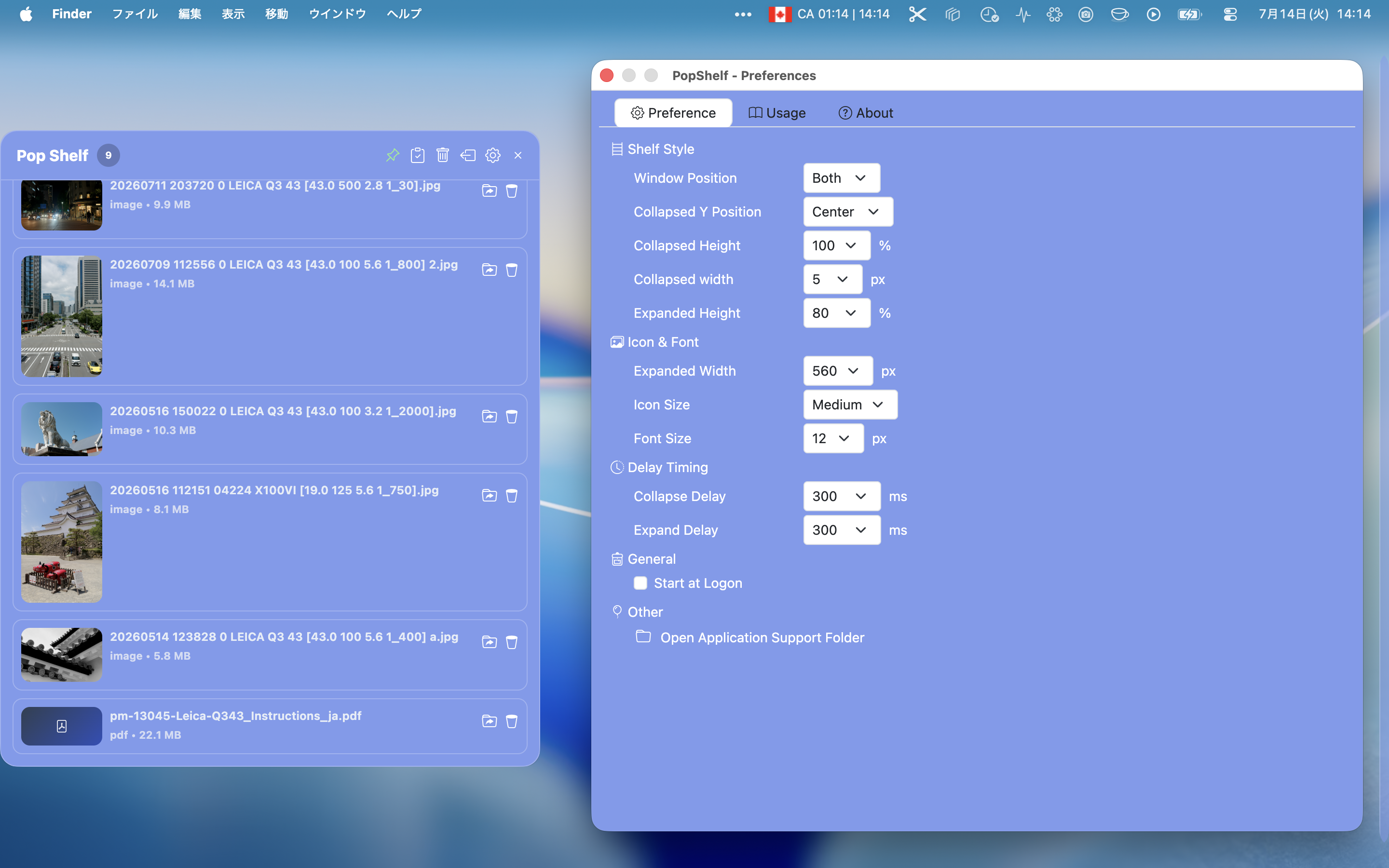
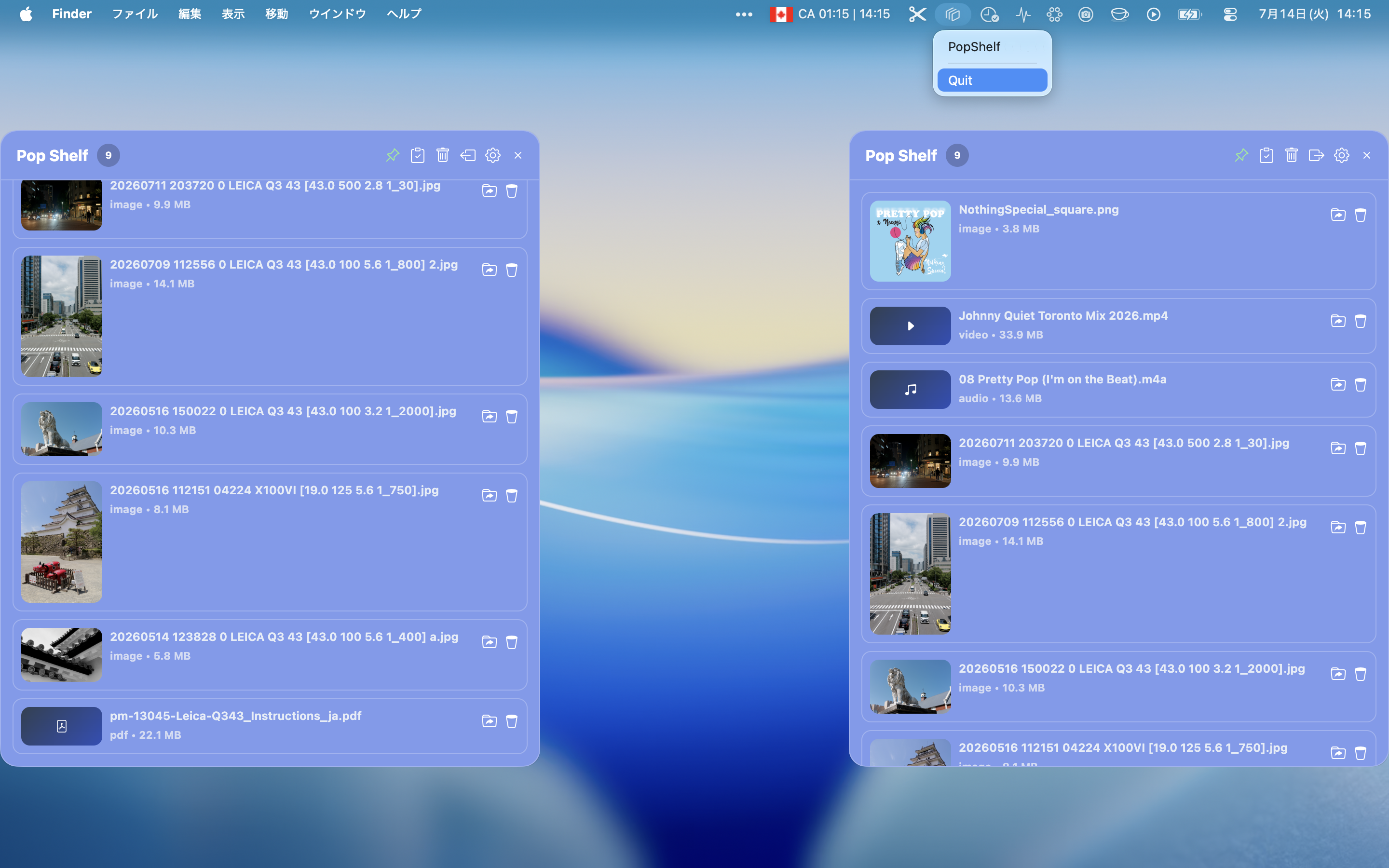
Drag, drop, and keep. PopShelf gives you a simple way to temporarily store files, text, and URLs on your desktop.
Conditions & Requirements
- Only tested on latest macOS.
Download
History
-
2.0.0 (2026.10.16)
- Added type/kind filtering to quickly narrow down your shelf
- Added a lock/unlock filter
- Filters now automatically adapt as items are added or removed
- Added "Delete Visible" and "Delete Hidden" buttons for one-click bulk cleanup
- Minor bug fixes and performance improvements
-
1.6.0 (2026.09.16)
-
Enhanced Content Viewing and Editing Features
- Added support for viewing and editing text clips
- Added HTML content preview
- Added color previews for color values such as #DC143C and rgba(255, 20, 147, 0.7)
- Minor bug fixes and performance improvements
-
Enhanced Content Viewing and Editing Features
-
1.5.0 (2026.09.06)
- Added item lock/unlock functionality
- Updated the app icon
- Minor bug fixes and performance improvements
-
1.4.0 (2026.08.25)
- Show a loading spinner while processing files dropped onto the shelf
- Updated the Duplicate and Copy to Clipboard icons
- Minor bug fixes and performance improvements
-
1.3.0 (2026.08.22)
- Added Duplicate functionality
- Added support for Space key and Command+V shortcuts
- Minor bug fixes and performance improvements
-
1.2.2 (2026.08.18)
- Minor bug fixes and performance improvements
- Minor bug fixes and performance improvements
-
1.2.0 (2026.08.10)
- Fixed an issue in the Mac App Store build where images added to the Shelf would fail to display after restarting the app. Currently only JPEG/PNG are covered by this fix; GIF/WebP/SVG thumbnails may still fail to persist
- Add option to copy title to clipboard
- Add support for folder category
- Minor bug fixes and performance improvements
-
1.1.3 (2026.08.03)
- Minor bug fixes and performance improvements
-
1.1.2 (2026.08.02)
- Minor bug fixes and performance improvements
-
1.1.1 (2026.08.01)
- Updated tray icon
- Minor bug fixes and performance improvements
-
1.1.0 (2026.07.31)
- Added the ability to sort items in the list
- Added an option to keep the Shelf expanded
- Minor bug fixes and performance improvements
-
1.0.0 (2026.07.25)
- Initial Release